



Communications
The following tasks can be performed:
- SMS Settings: Configure the settings for SMS plugins.
- Email Settings: Configure connection settings for the email server.
- SMS Messages: Customize the text and formatting of SMS messages.
- Email Messages: Customize the text and formatting of email messages.
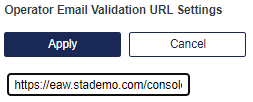
- Operator Email Validation URL: Set the URL for Operator email validation.
- Push OTP Settings: Configure OOBS and SPS.
-
VF OTA Provisioning Policy: Configure the VF OTA Provisioning Policy.
The option allows you to configure the VF Over the Air (OTA) Provisioning Policy. Enter the OTA Result Polling interval, in minutes (between 1-1440), and click Apply.
-
Logging Agent Server Settings: Set URL and port for the Logging Agent Server.
- FIDO Server Settings: Configure connection settings for FIDO Server.
-
Risk Engine Settings: Configure Risk Engine.
This option is disabled by default. Keep it disabled, and enable it only when you use the advanced features of SAS PCE Enterprise, that is, the SAS PCE Enterprise Virtual Appliance.
Note
For further information regarding the future release of the advanced features of SAS PCE Enterprise, refer to Installation of Enterprise Advance Features.

