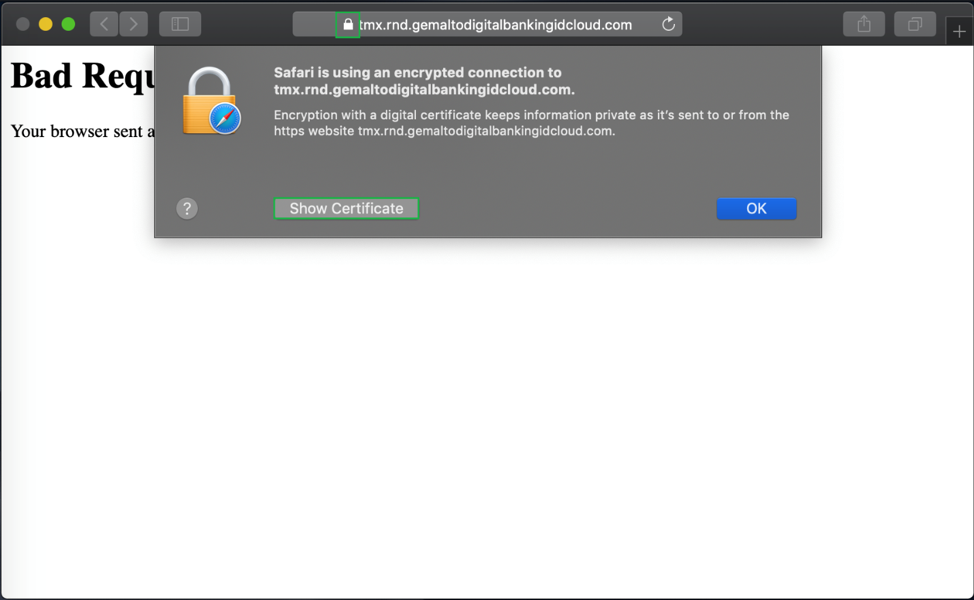
Export the ThreatMetrix certificate from a browser
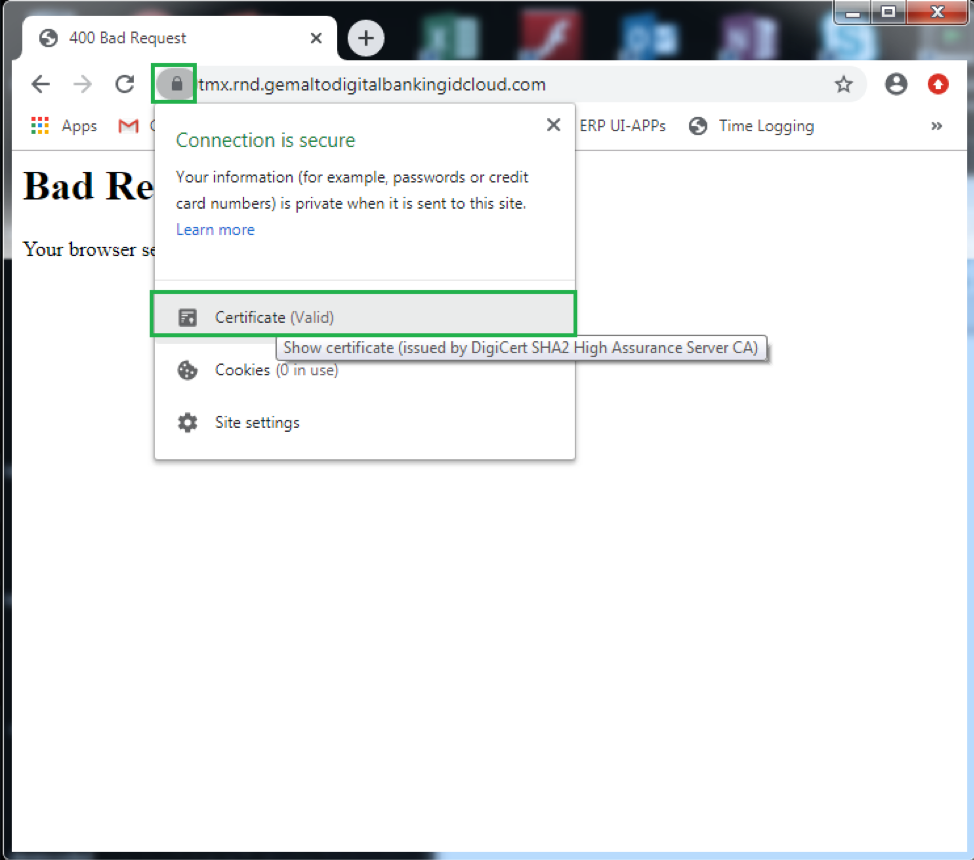
- Open the host site on Chrome.
- Click the Lock icon in front of the URL.
-
Click to View the certificate
-
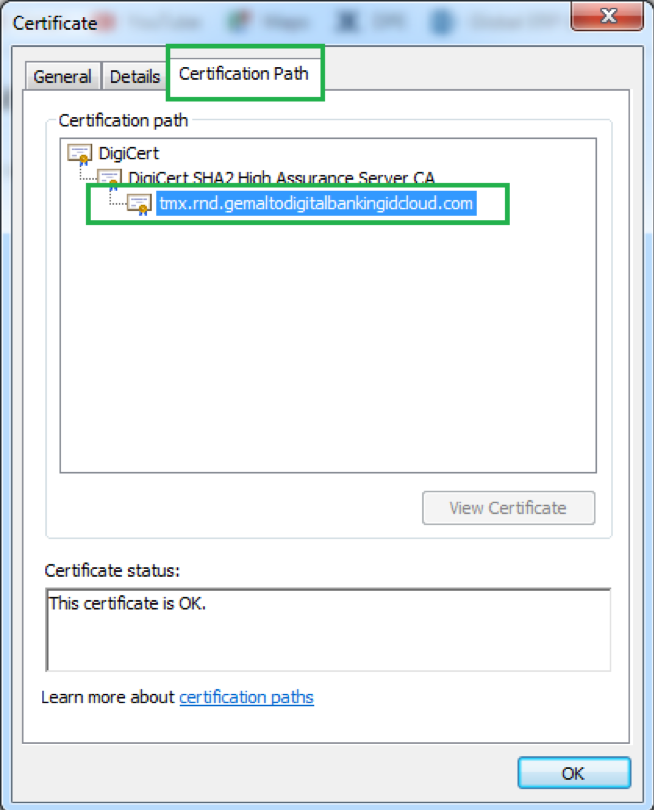
Click Certification Path and select the leaf certificate.
-
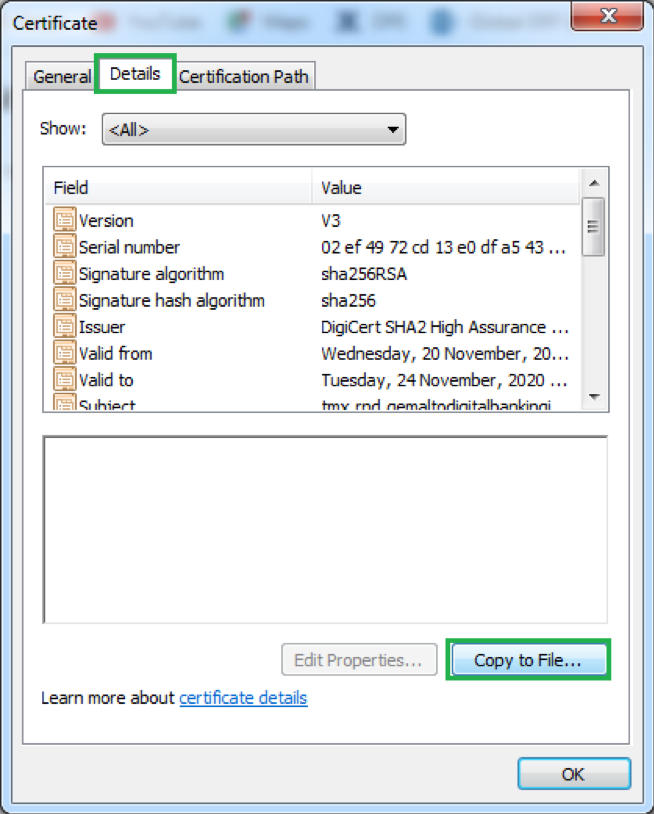
Click Details and click Copy to File.
-
Click Next.
-
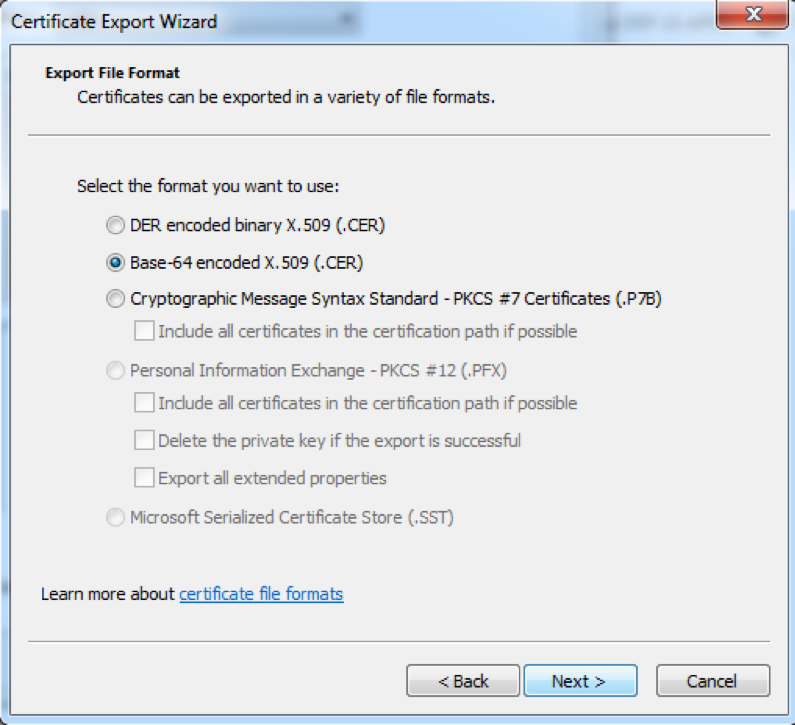
Select the format of the exported certificate.
On iOS, it must be provided as a DER-encoded binary. The SDK expects raw bytes to be passed that must be DER encoded. On Android, DER-encoded binary and Base-64 encoded are supported. The SDK expects a X509Certificate object, which can be created from either of the formats.
-
Click Next, browse the location, specify the file name, and save.
A similar procedure can be followed on different browsers, where the user interface might differ slightly.
Export from Safari for Mac users
- Open the host site on Safari.
- Click the Lock icon in front of the URL.
-
Click Show Certificate to View the certificate.