



Identity store version 2
The identity and access core includes an identity store for storing identity information about your users. The identity store holds the identity attributes that are important for the OneWelcome Identity Platform features to work together, such as authentication journeys and delegated user management v2.
The data model for identities is based on the System for Cross-domain Identity Management (SCIM) specification and supports multiple SCIM schemas.
Your organization also has an identity store of some kind, where your user information is stored and structured according to some schema, such as SCIM.
To use features such as authentication journeys and delegated user management v2, you need to map your user schema to the OneWelcome Identity Platform schemas. First you create attributes in the identity store, which represent the attributes in your current schema. The attributes that you create are stored in a custom schema in the identity store. Then you need to map those attributes to attributes in the OneWelcome Identity Platform schemas.
Note
If you're already using the identity store (version 1), you still need to add and map attributes in the identity store (version 2) to use newer features like authentication journeys and delegated user management (version 2).
System and custom attributes
On the OneWelcome Identity Platform console, the Identities component provides an interface where you can create, modify, map, and manage identity attributes throughout their lifecycle.
The attributes are organized into two categories:
-
System attributes: System attributes are the default attributes that the OneWelcome Identity Platform provisions when your tenant is created.
-
Custom attributes: Any attribute that you create is categorized as a custom, or non-system, attribute.
The Attributes page lists all the attributes in the OneWelcome Identity Platform for your tenant. System attributes are shown at the top, and your custom attributes are listed below them. In each of these categories, the attributes are sorted alphabetically.
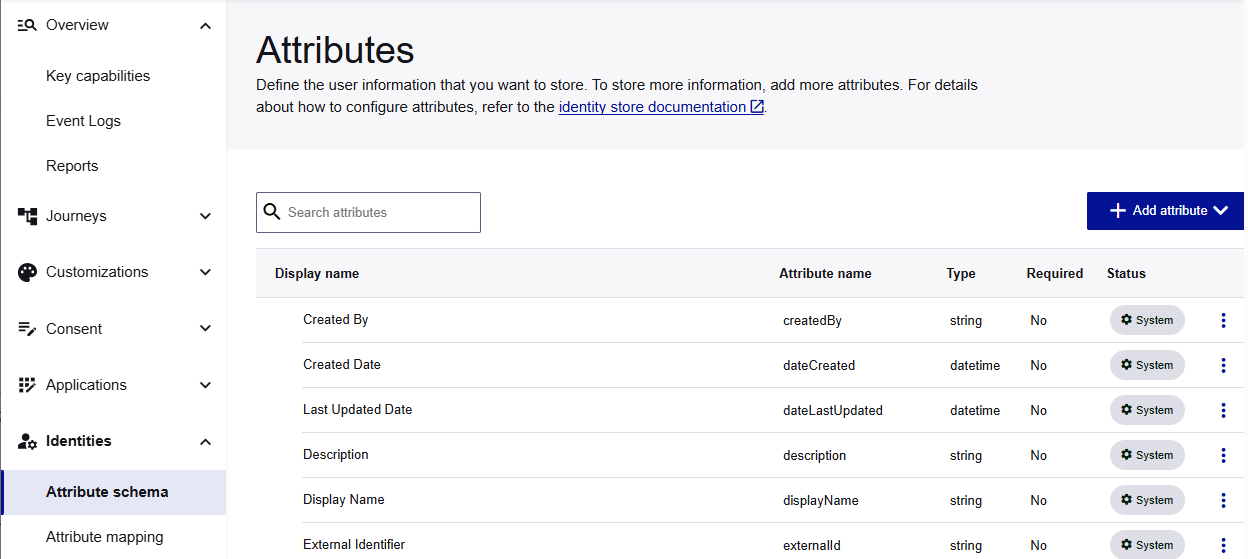
View a system attribute
You cannot edit or delete the system attributes, but you can view the attribute details.
-
On the OneWelcome Identity Platform console, select Identities > Attribute schema.
-
In the list of attributes, select the menu for the system attribute that you want to view, and select View details.


