



NPS for Remote RADIUS Server Groups
To configure the SafeNet Agent for NPS for Remote RADIUS Server Groups, follow the steps:
-
Open the Network Policy Server (NPS) console.
-
In the left pane, double-click RADIUS Clients and Servers, right-click Remote RADIUS Server Groups, and click New.
-
In the Group name box, type a name for the new RADIUS server group, then click Add.
-
In the Add RADIUS Server dialog box, under RADIUS Server, enter your previous OTP solution as a RADIUS server.
-
Click OK to save.
-
Ensure that you add this NPS server as a RADIUS client on the previous OTP solution.
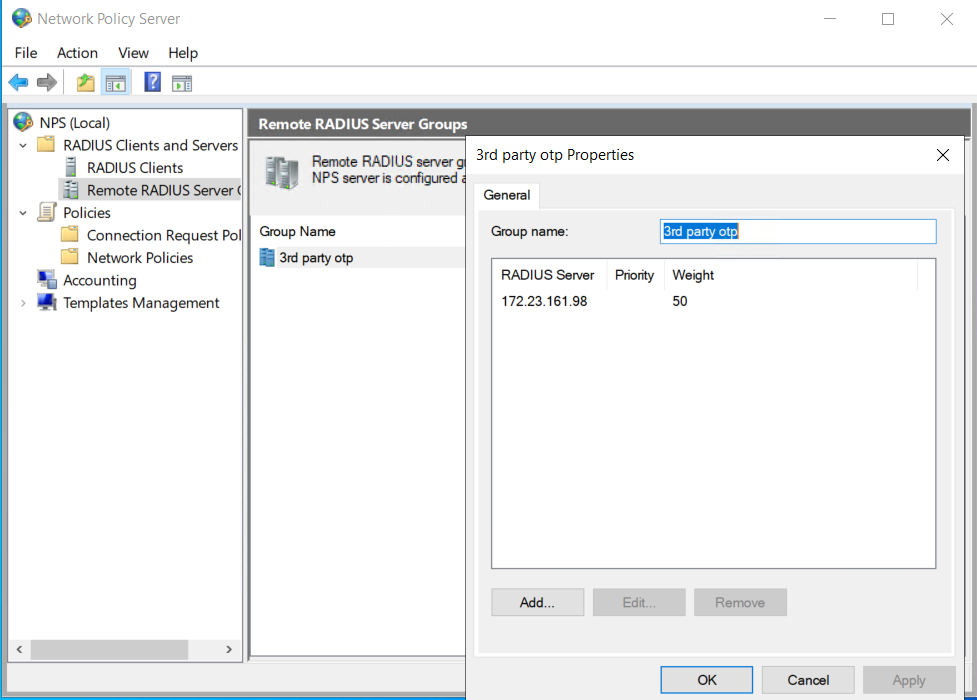
(The screen image above is from Microsoft®, Inc. software. Trademarks are the property of their respective owners.)
-
-
In the left pane, under Policies, right-click Connection Request Policies, then click New.
-
In the Policy Name box, type a name for the new policy.
-
Create a policy that forwards connection requests to the newly created remote RADIUS server group for authentication.
-
Click OK to save.
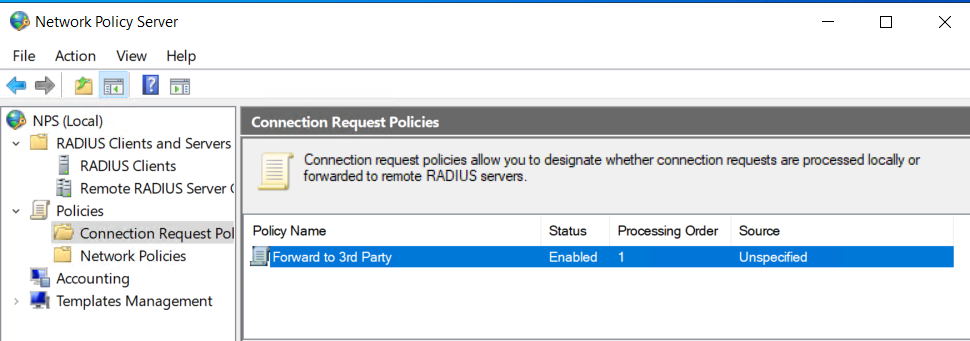
(The screen image above is from Microsoft®, Inc. software. Trademarks are the property of their respective owners.)
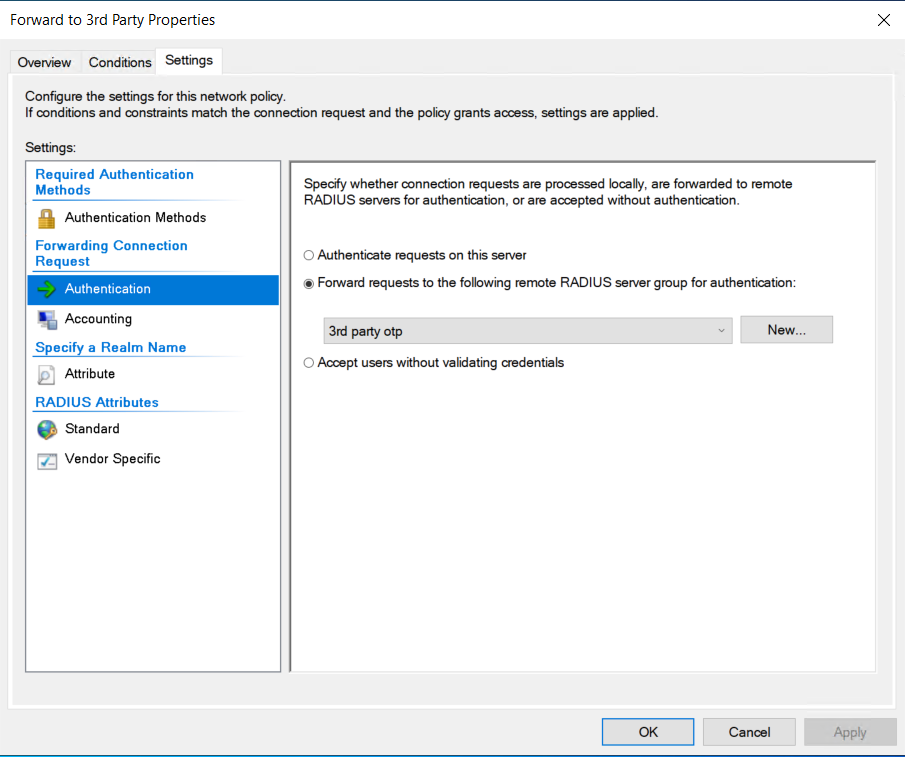
(The screen image above is from Microsoft®, Inc. software. Trademarks are the property of their respective owners.)
-
-
In the left pane, under Policies, right-click Network Policies, then click New.
-
In the Policy Name box, type a friendly name for the new policy.
-
Complete the remaining fields as appropriate.
-
Click OK to save.
-
Right-click the new policy, then click Edit.
-
Click the Constraints tab and select the Unencrypted authentication (PAP, SPAP) check box.
-
Click OK to save.
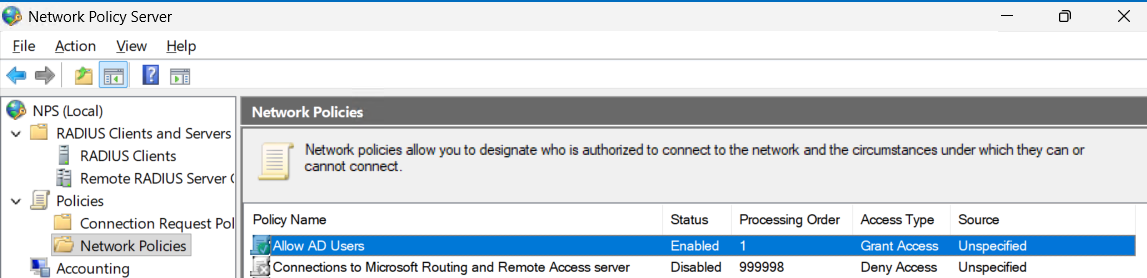
(The screen image above is from Microsoft®, Inc. software. Trademarks are the property of their respective owners.)
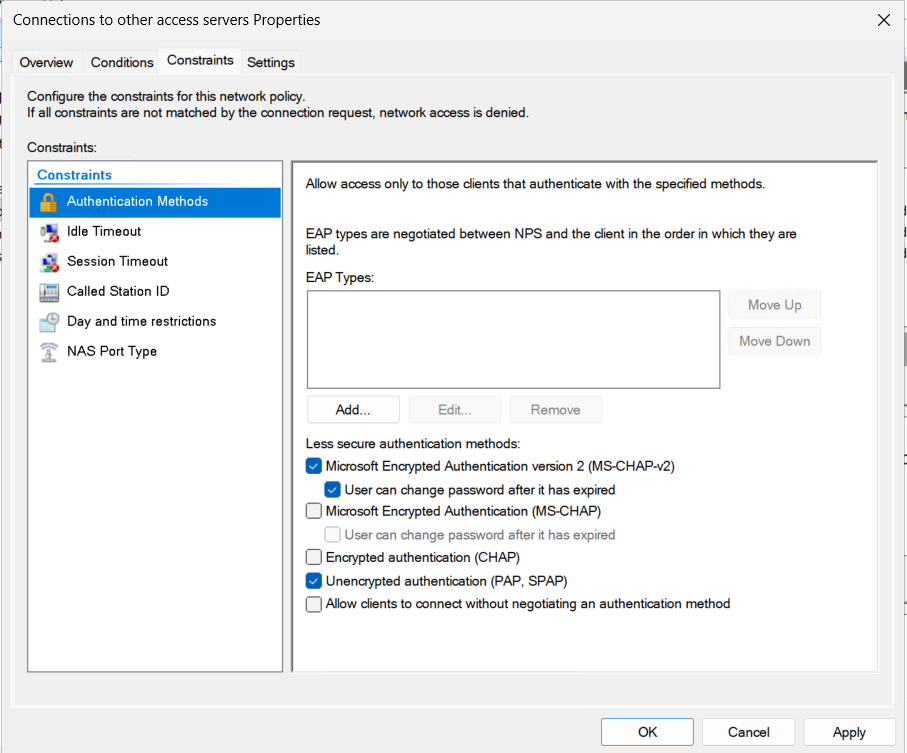
(The screen image above is from Microsoft®, Inc. software. Trademarks are the property of their respective owners.)
-
-
In the NPS server, add your local machine and your VPN appliance as RADIUS clients.
Note
Ensure to enable the Migration Mode. To configure Exceptions in Migration Mode, refer to Configuring Exceptions for Migration Mode.
-
Use a RADIUS client tool, such as NTRadPing, to authenticate against the local NPS. NPS should forward the request to your previous OTP solution.
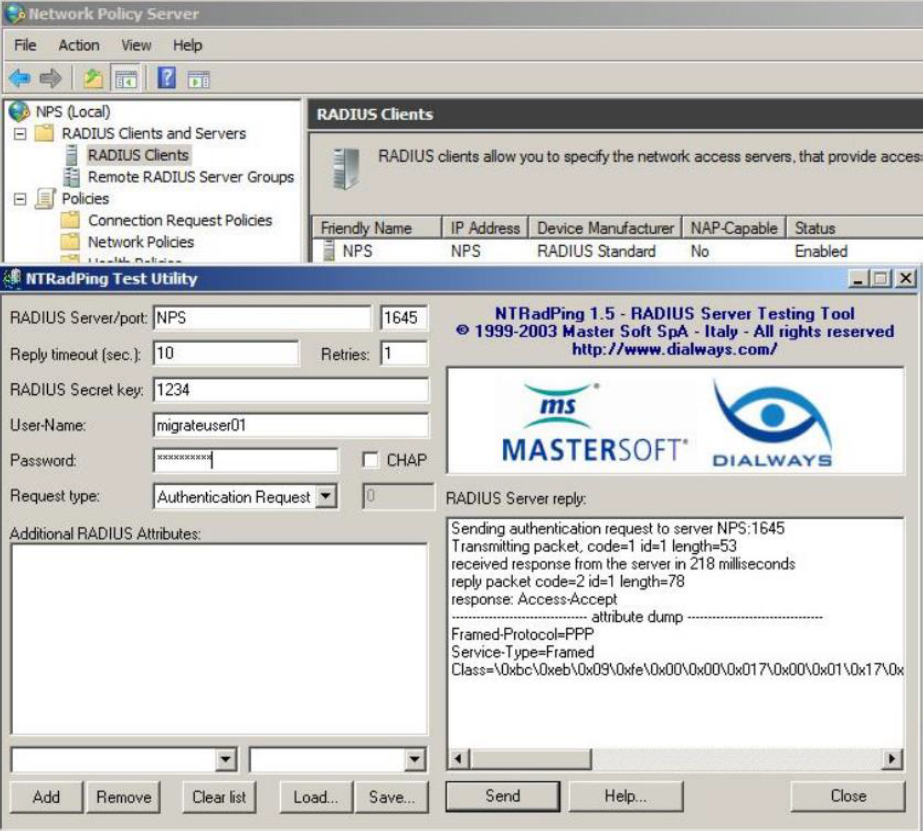
(The screen image above is from Microsoft®, Inc. software. Trademarks are the property of their respective owners.)

