



SafeNet Agent for NPS
SafeNet Authentication Service Private Cloud Edition (SAS PCE) use the NPS Remote Authentication Dial-In User Service (RADIUS) components of the Windows Server.
To enable the SafeNet server to accept RADIUS authentication requests, complete the following:
-
Install the Windows NPS component.
-
Install the SafeNet Agent for NPS on the machine hosting the NPS.
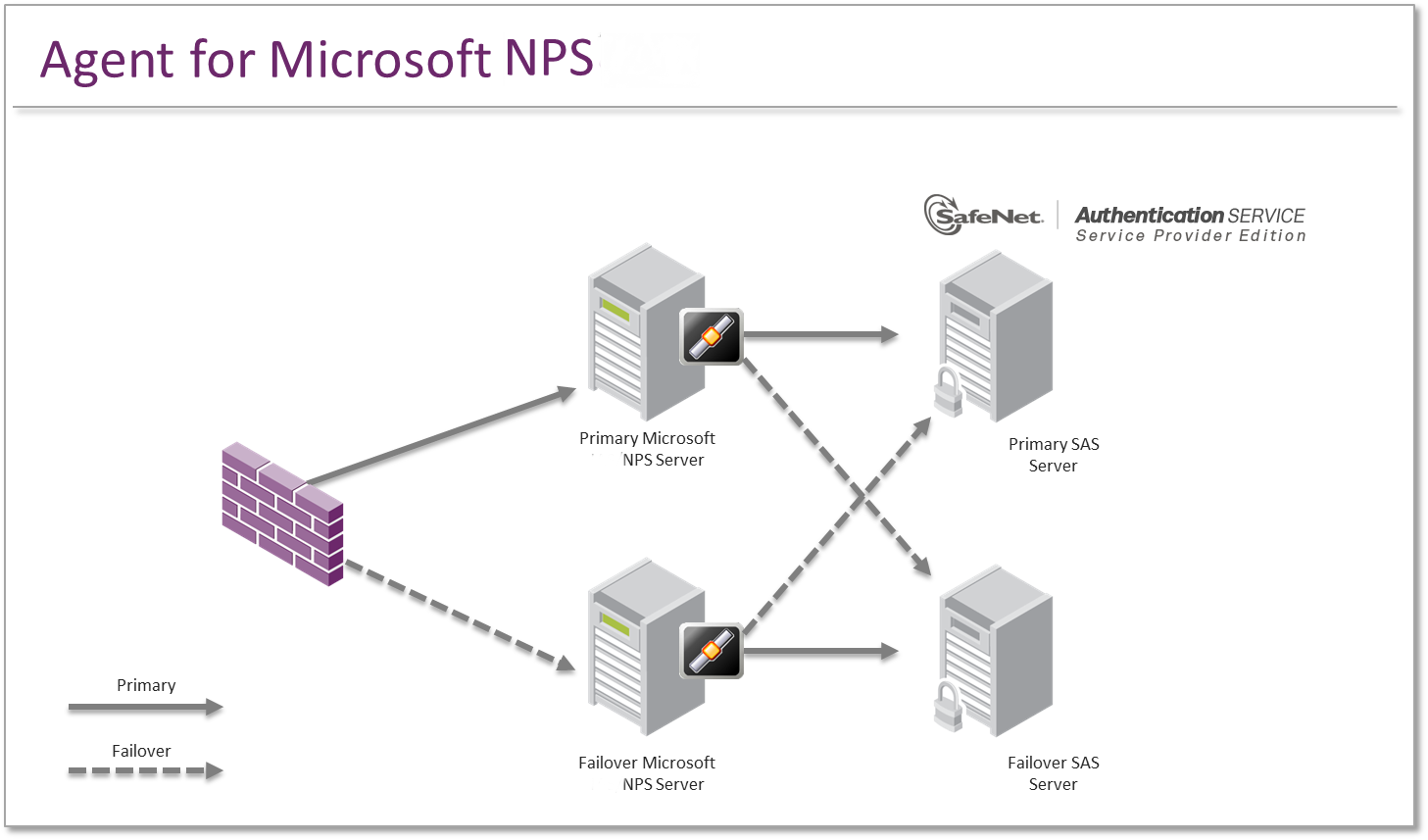
RADIUS requests received by the NPS from devices such as VPNs, firewall and other RADIUS Clients are passed to the SafeNet server via the agent.
Note
The SafeNet Agent for NPS must be installed on the same server as the Microsoft NPS. We recommend installing SAS PCE/SPE on a different server. The agent can be configured for failover to an alternate SAS PCE/SPE server.

