



Configuring Exceptions for Migration Mode
Note
Before configuring Exceptions, you must enable the Migration Mode in the NPS Settings tab. See NPS Settings.
To configure exceptions for Migration Mode, perform the following steps:
-
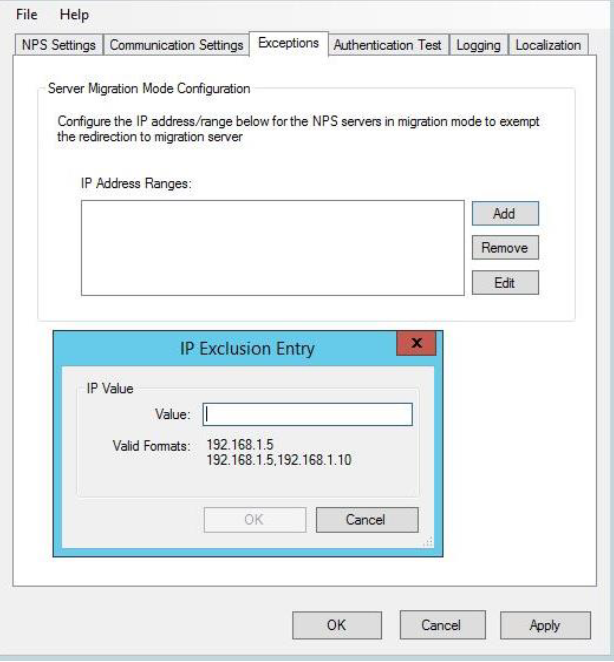
Select the Exceptions tab.
-
Click Add to enter the IP address or range for the NPS servers in migration mode, to exempt the redirection to the migration server.
-
To remove an IP address or range, select an item and click Remove.
-
To edit an IP address or range, select an item and click Edit.
-
-
Click Apply.
-
Restart NPS.
Note
If the SafeNet Agent for NPS is installed on the migration server (with Migration Mode enabled), configure the IP address of the host server in the Exceptions tab of the management console on the migration server, and vice-versa.

