



Troubleshooting
This page provides troubleshooting strategies and solutions for the common errors.
Error: 1722
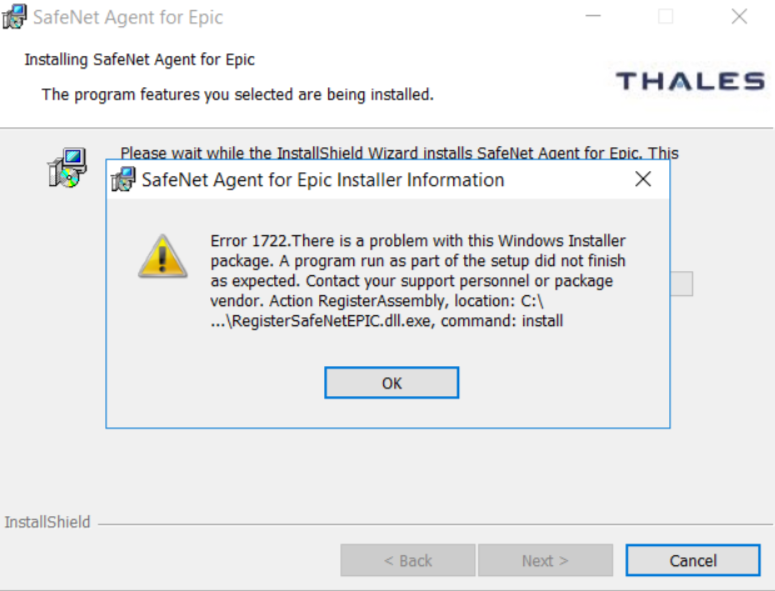
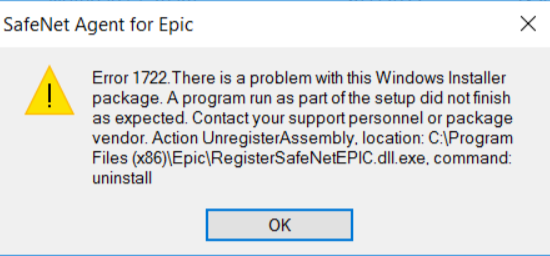
The following error message displays in the installer window while installing or uninstalling the agent.
Possible causes
This error can occur if the Epic Hyperspace/Hyperdrive application is not installed/configured properly, which leads to a failure in the SafeNet EPIC DLL registration/unregistration.
Solution
Note
Before proceeding with the below solution, ensure that the Epic Hyperspace/Hyperdrive application is present on the agent-installed machine.
Perform the following steps to resolve the issue:
-
Open command prompt as an administrator.
-
Navigate to the agent installation directory. For example,
cd C:\Program Files <x86>\Epic(for 64-bit operating system)cd C:\Program File\Epic(for 32-bit operating system)
-
Now, execute the following command:
To fix the Installation error, register the SafeNet EPIC DLL using:
cmd
RegisterSafeNetEPIC.dll.exe install
To fix the Uninstallation error, unregister the SafeNet EPIC DLL using:
cmd
RegisterSafeNetEPIC.dll.exe uninstall

