



SMS OTP token
This section provides you with instructions for using a one-time password (OTP) delivered to your mobile device by SMS message. Once it is activated, you should use an SMS/OTP every time you log on.
About SMS one-time passwords
What is an SMS one-time password?
A standard logon requires you to enter your user name and password. The problem is that passwords are easily compromised, putting your identity and the resources you access at risk. An SMS one-time password is a new password, referred to as a “Token Code”, that is sent to your mobile device by SMS. You combine the Token Code with a Security PIN to form a one-time password (OTP). As the name implies, an OTP can only be used only once. Using SMS one-time passwords protects your logon against password theft. Each time you log on, you use a new and unique Token Code sent to you by SMS.
How does It protect me?
Password theft is the single most common way thieves and hackers steal identities and gain unauthorized access to networks and resources. While they have many ways to steal a password, success depends on the stolen password being valid, much the way credit card theft relies on the card being usable until you report it as stolen. The problem, of course, is that it is almost impossible for you or your network’s security administrators to discover that your password has been compromised until long after damage has been done.
SMS/OTP solves this problem because the instant you log on with an OTP, it is no longer valid. Any attempt to log on by reusing the OTP will not only fail but will also instantly alert your network security administrators to a possible attack on your identity.
Can anyone else use my SMS/OTP?
Your SMS/OTP is protected against unauthorized use by a Security PIN that only you know. Again, much like a bank card or “Chip and PIN” credit card, a thief not only needs access to the SMS message containing the Token Code, but must know your PIN as well. Any attempt to use the Token Code with an incorrect PIN will fail. Successive attempts to guess your PIN will automatically “lock” your account, giving you, and your network security administrators, time to deal with the threat.
How does it work?
Each time you are prompted for a password, you need to enter your OTP in the Password field.
For example:
| Security | Token Code | One-Time Password |
| 1234 | 12345678 | 123412345678 |
| 1234 | 4Kz6371R | 12344Kz6371R |
| 1234 | 669-9487 | 1234669-9487 |
How do I create a security PIN?
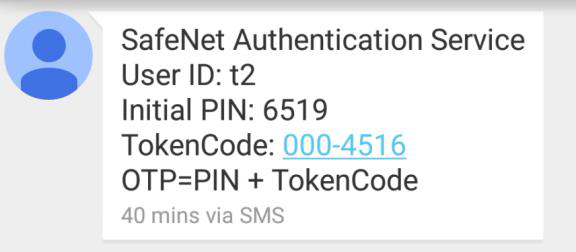
The first SMP/OTP message you receive contains:
-
Your User ID for logon (for example, BAlexander)
-
Your Initial PIN (for example, 4167)
-
An SMS Token Code (for example, 96Af231X)
When you are prompted for a password during logon, enter your Initial PIN and Token Code. For example, 416796Af231X. Note that PINs and Token Codes are case-sensitive.
During your first logon, you are prompted to change the initial PIN to a Security PIN that only you know.
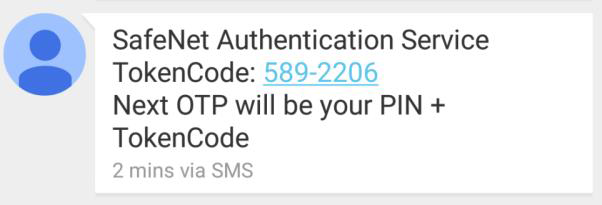
Following your first logon and Initial PIN change, all subsequent SMS/OTP messages include the Token Code only. The PIN is not included in any of these messages.
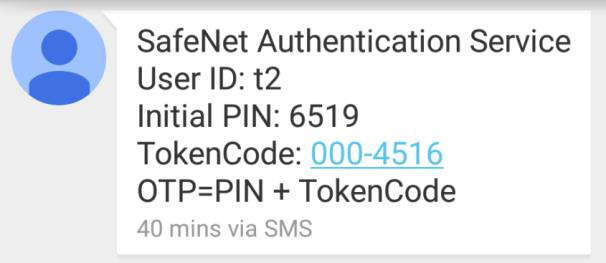
Always use the Token Codes from the most recent SMS/OTP message.
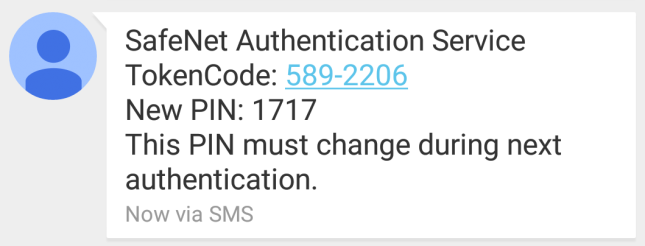
From time to time, your network security administrator may reset your PIN. You are notified by an SMS message containing a new PIN. During your next logon, you will be prompted to change this to a Security PIN that only you know.
How do I use my SMS/OTP?
Method 1: Whenever you need to log on, enter your PIN and Token Code in the password field or, if an OTP field is displayed, enter it in the OTP field. Within 10-60 seconds of logon, you will receive a new SMS/OTP to use during your next logon.
Method 2: Whenever you need to log on, enter your User ID, and then click Enter. You will receive an SMS/OTP within 10-60 seconds. This OTP is only valid for a limited amount of time after receipt. Enter your PIN and Token Code in the Password field or, if an OTP field is displayed, enter it there.
What if I don’t receive an SMS/OTP?
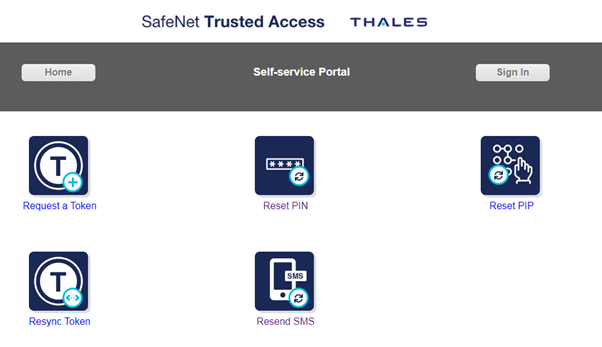
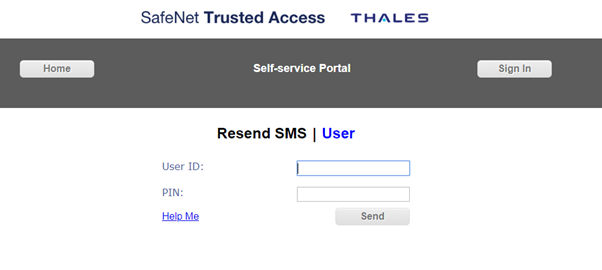
If you do not receive an SMS/OTP message, navigate to the Self-Service Portal and select the Resend SMS option. Enter your User ID and Security PIN. A new SMS/OTP message will be sent within 60 seconds.
Protecting your security PIN
Protect your Security PIN just as you would the PIN for your bank or credit card. Never share it with anyone, including people you trust. Your network security administrator and help desk will never ask for your PIN and you should never reveal it to them. Never write down your PIN.
What are my responsibilities?
Using an SMS/OTP not only provides security, it reduces the need to remember or periodically change passwords. However, you do have a few simple obligations as outlined in this section.
How do I Change my PIN?
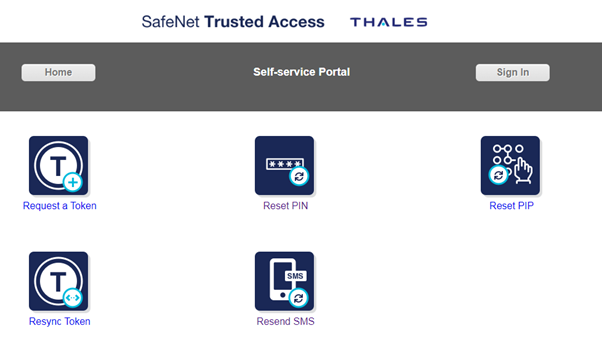
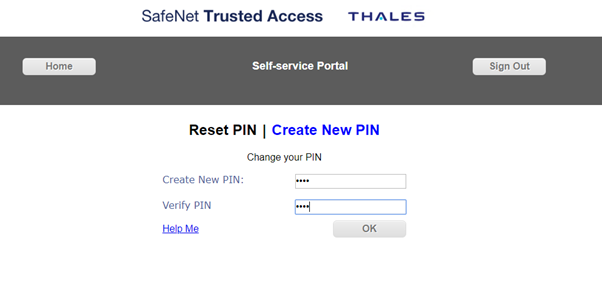
If you wish to change your PIN or are concerned that it has been compromised, navigate to the Self-Service Portal and do the following to reset your PIN:
-
Select Reset PIN.
-
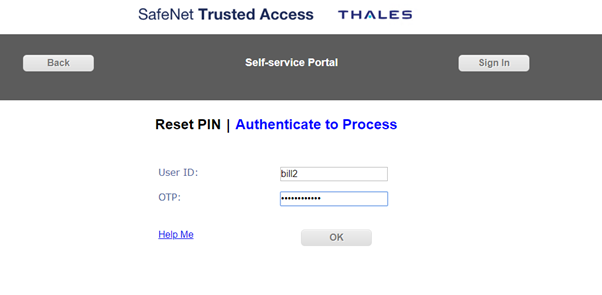
Log in if necessary, and then select SMS Token. Enter your User ID, current PIN, and SMS Token Code. Click Next.
-
Create and verify a new PIN.
-
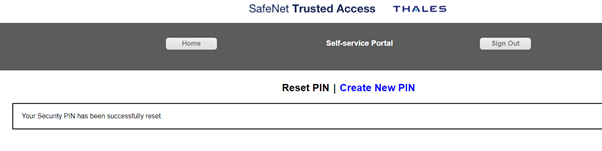
A verification message is displayed. Your PIN has been reset.
What if I forget my PIN?
Contact the help desk. Upon verifying your identity, they will be able to reset your PIN.
What should I do if I can’t log on using my token?
The most common cause of failed logon is entering an incorrect OTP. Never attempt to reuse a Token Code and always ensure that you enter the code exactly as it is displayed in the SMS, including any uppercase and lowercase letters and punctuation that it may contain.
Your account gets automatically locked for a few minutes if your User ID has too many failed consecutive logon attempts. You must wait until your account automatically unlocks. Contact the help desk to resolve logon problems.
How long will I continue to receive SMS/OTP messages?
Your token will receive a new message each time you log on, or until your SMS/OTP service is stopped by your network security administrator.