



Device Logs
The device logs feature in CCC allows you to manage your device logs effectively. You can export logs to third-party monitoring and analytics tools and retrieve logs for analysis.
To export device logs, you must have a valid monitoring license. If the license is unavailable, a message indicating that a monitoring license is required will be displayed.
Finding and downloading device logs
To find and download device logs:
Choose the device for which you want to view logs.
Click the Find Logs button to view logs from the past 30 days, or specify a date range before clicking Find Logs to retrieve logs from that period.
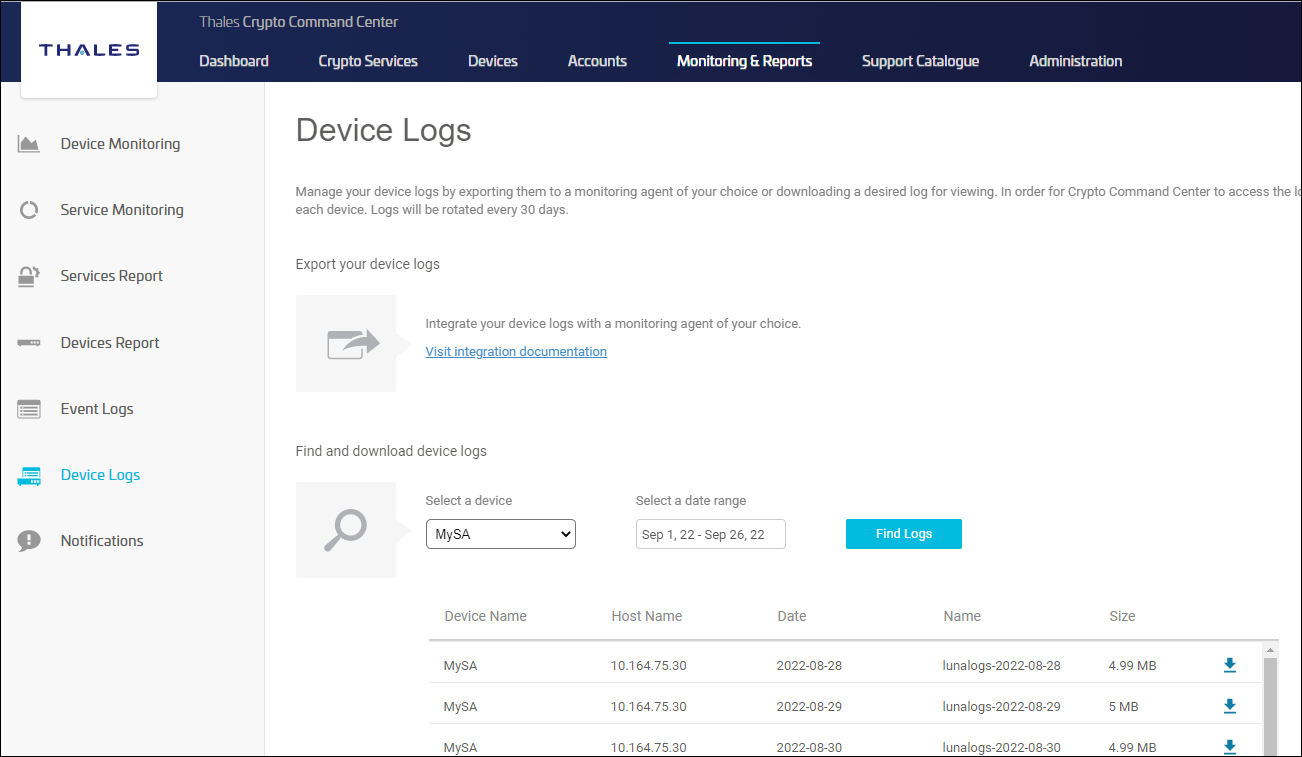
Select and download the logs you need.
By default, the device monitoring logs for the current day are stored in the directory /home/ccc/lunalogs/monitoring/, and if you need to access logs from the past 30 days, they can be found in the directory /home/ccc/lunalogs/logrepository/. However, it is configurable at the time of CCC installation and can be set to an alternate location, the user has to configure the base directory using this key in the CCC_Config file: {CCC_BASE_DIR}.
Device logs older than 30 days are automatically overwritten.

